June Release: Less manual work, more intelligent action.
Across the board, repetitive work is giving way to smarter automations — automations that travel with modules, global automation libraries that deploy in bulk, and Aero's expanding footprint now covering custom view creation, portfolio-level insights, and recommended actions directly on the projects page. And with new dashboard upgrades and portal agent settings, every persona on your team — and the customers they serve — now has a more actionable place to land.
Views Agents
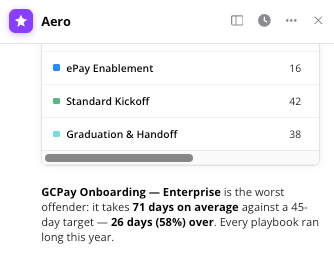
Aero can now build custom views on the fly.
Ask a question, and if a View would help answer it, Aero will propose one, show you a preview, and create it with your confirmation — right inside your existing Views. You can refine it further through conversation or adjust it manually. Less setup and faster access to the data you actually need.
Want more information? Check out our Knowledge Base article.
Modules Automations
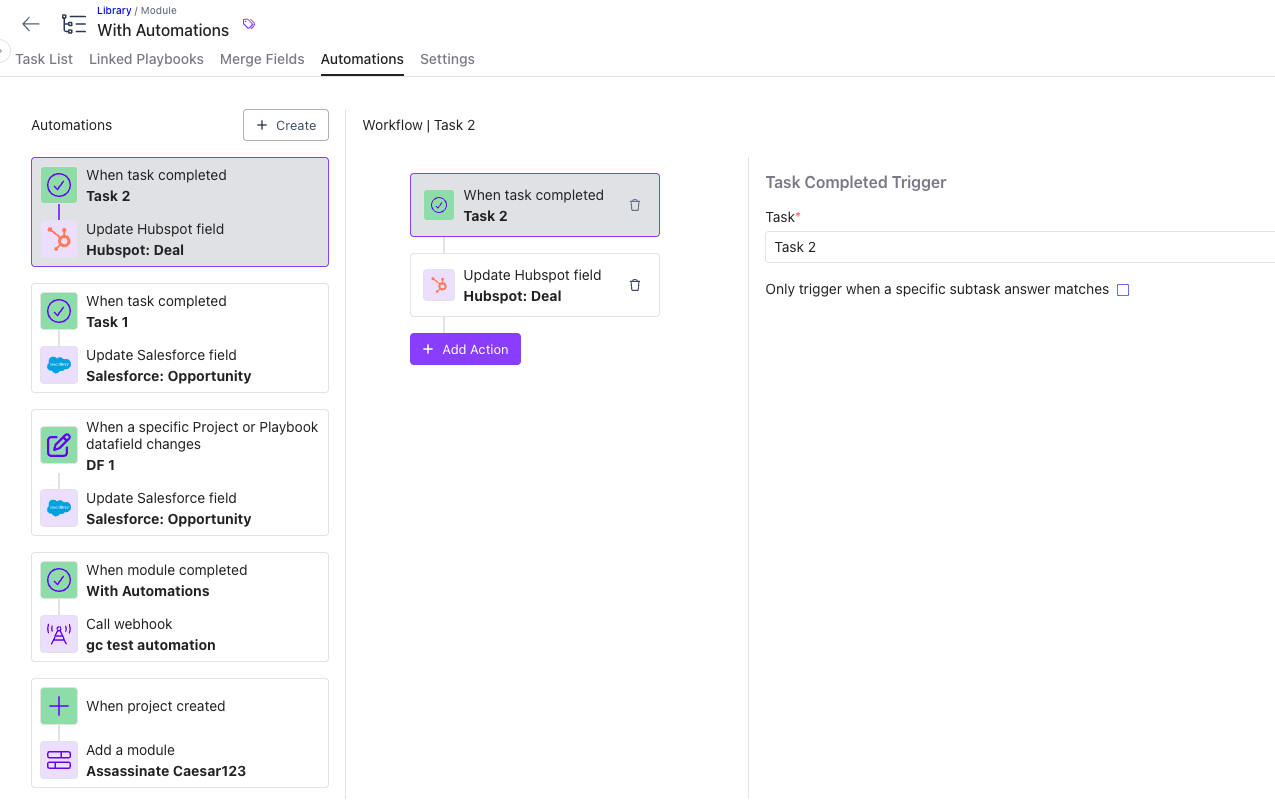
Automations now travel with modules — set them once, and they follow everywhere the module goes.
Add an automation to a module once, and it's automatically included when that module is added to a project, workflow, or linked playbook — no more manually re-adding the same automation across every playbook that shares a module.
Want more information? Check out our Knowledge Base article.
Additional Email Customization
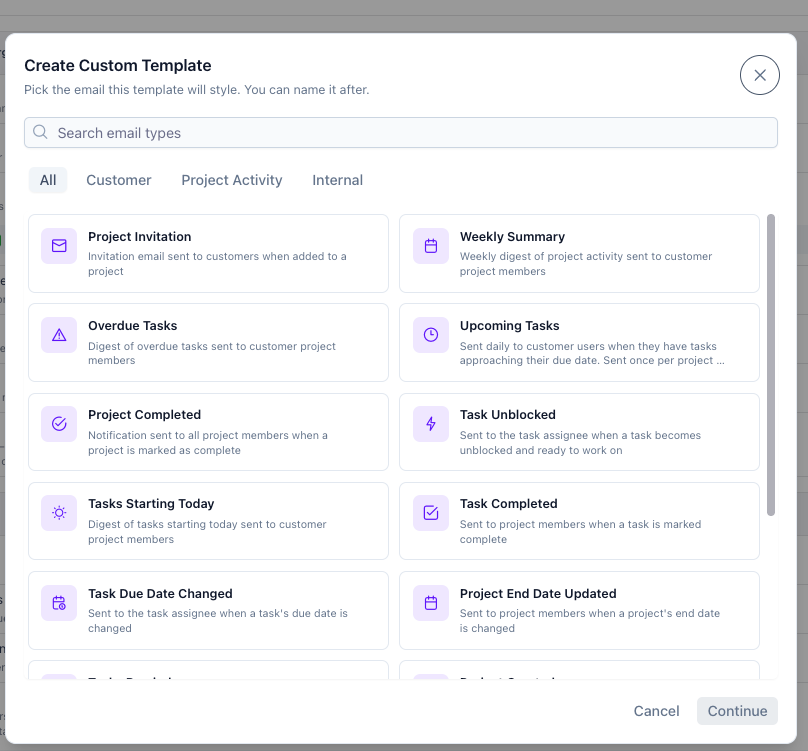
Teams can now create and apply custom email templates across any playbook or project.
Create and manage custom email templates directly in OnRamp — covering customer-facing, project activity, and internal communications. Templates can be applied at the playbook or project level, giving you more control over how your brand and tone come through at every stage of the onboarding journey.
Want more information? Check out our Knowledge Base article.
Project Page 2.0
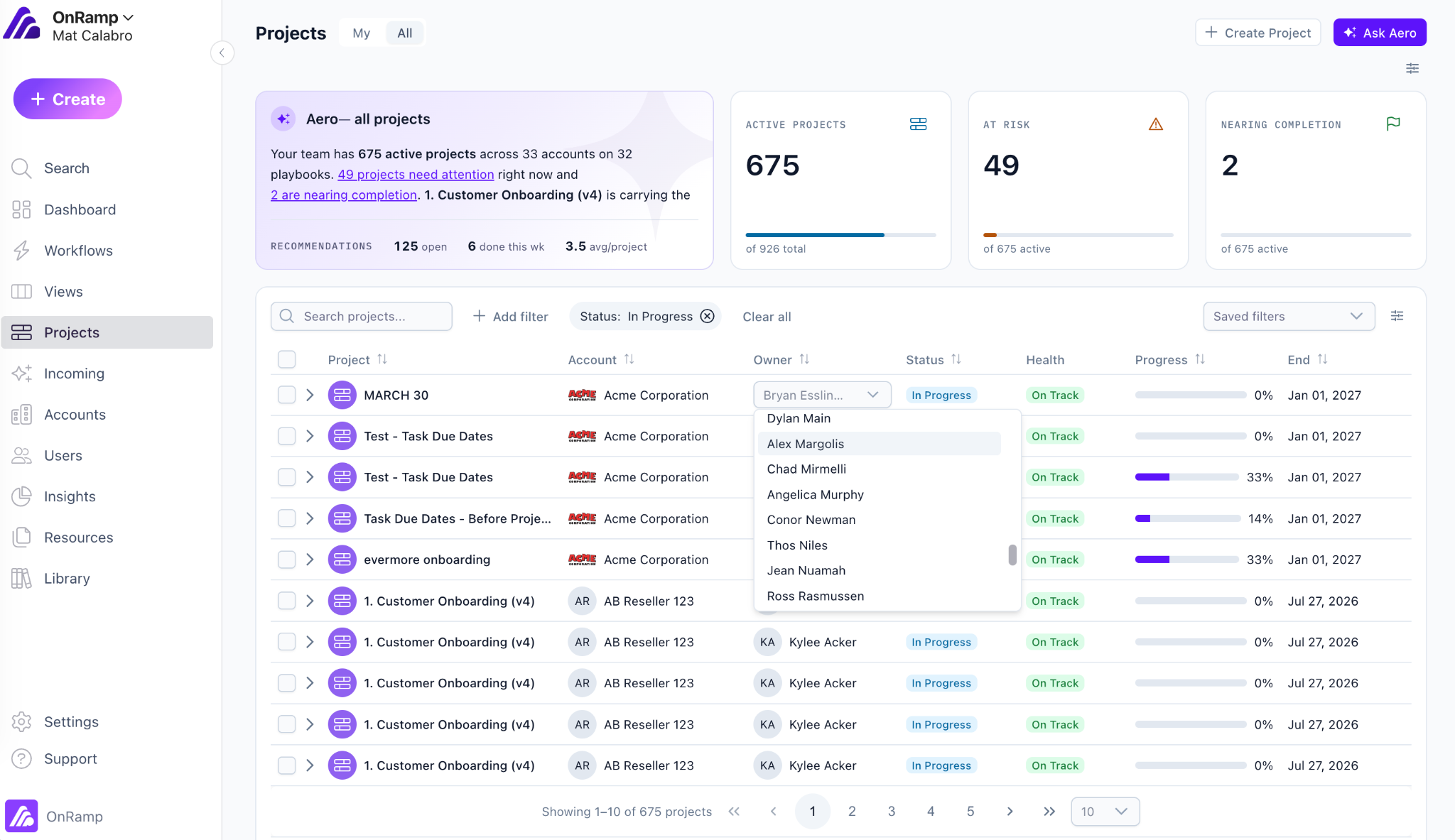
The projects page is rebuilt with customizable metric cards, bulk editing, saved filters, and Aero recommendations — all in one place.
The projects page has been rebuilt from the ground up. Default metric cards surface active, at-risk, and nearing-completion projects out of the box, and teams can add, replace, or customize cards with any project data field. Saved filters make it easy to get back to the views that matter most. Bulk editing lets you update project status, ownership, or other fields across multiple projects at once. And Aero now surfaces a portfolio-level summary and recommended actions directly from the page, so your team can act without digging into individual projects.
Note: Coming the week of June 29th.
Portal Agent Settings
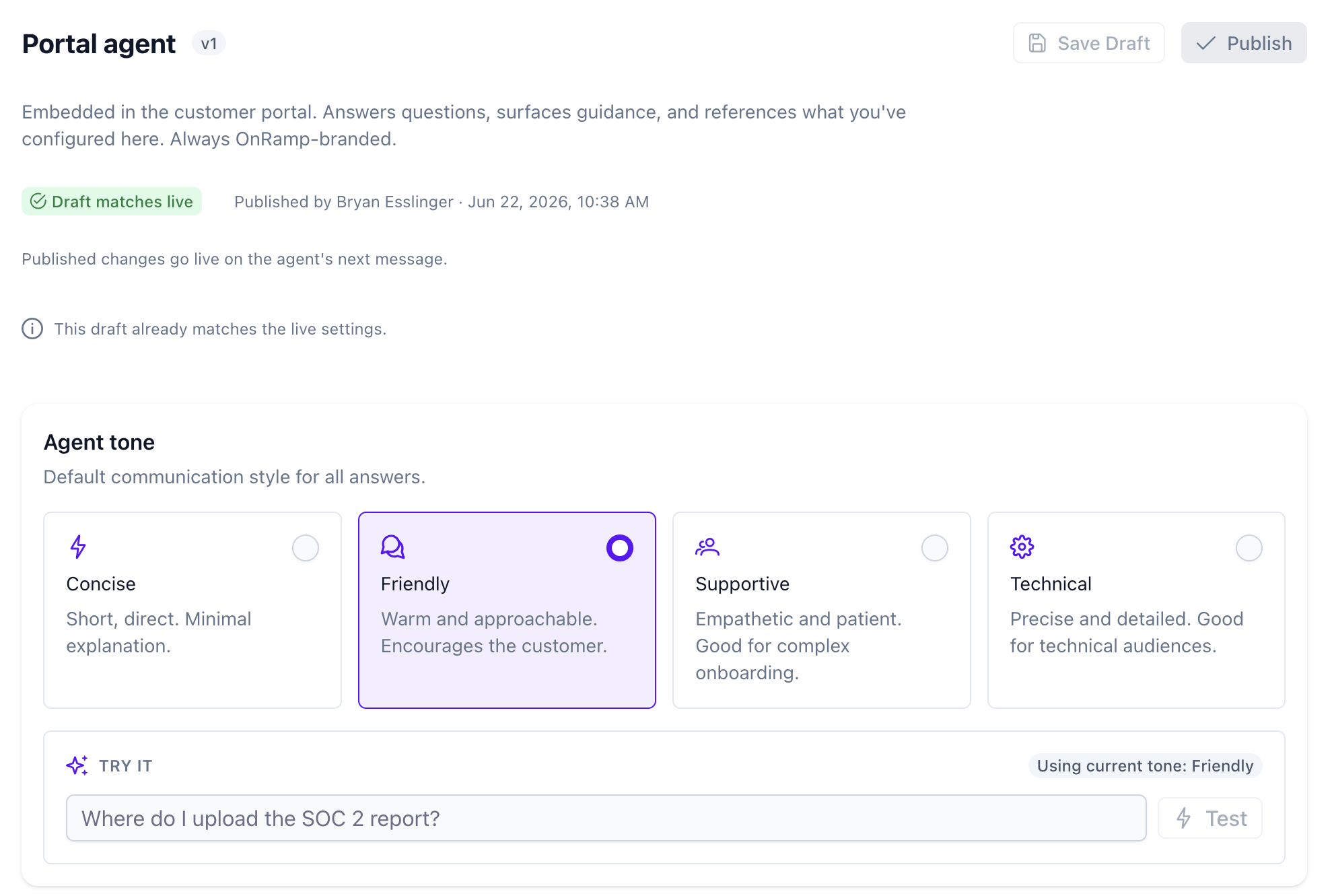
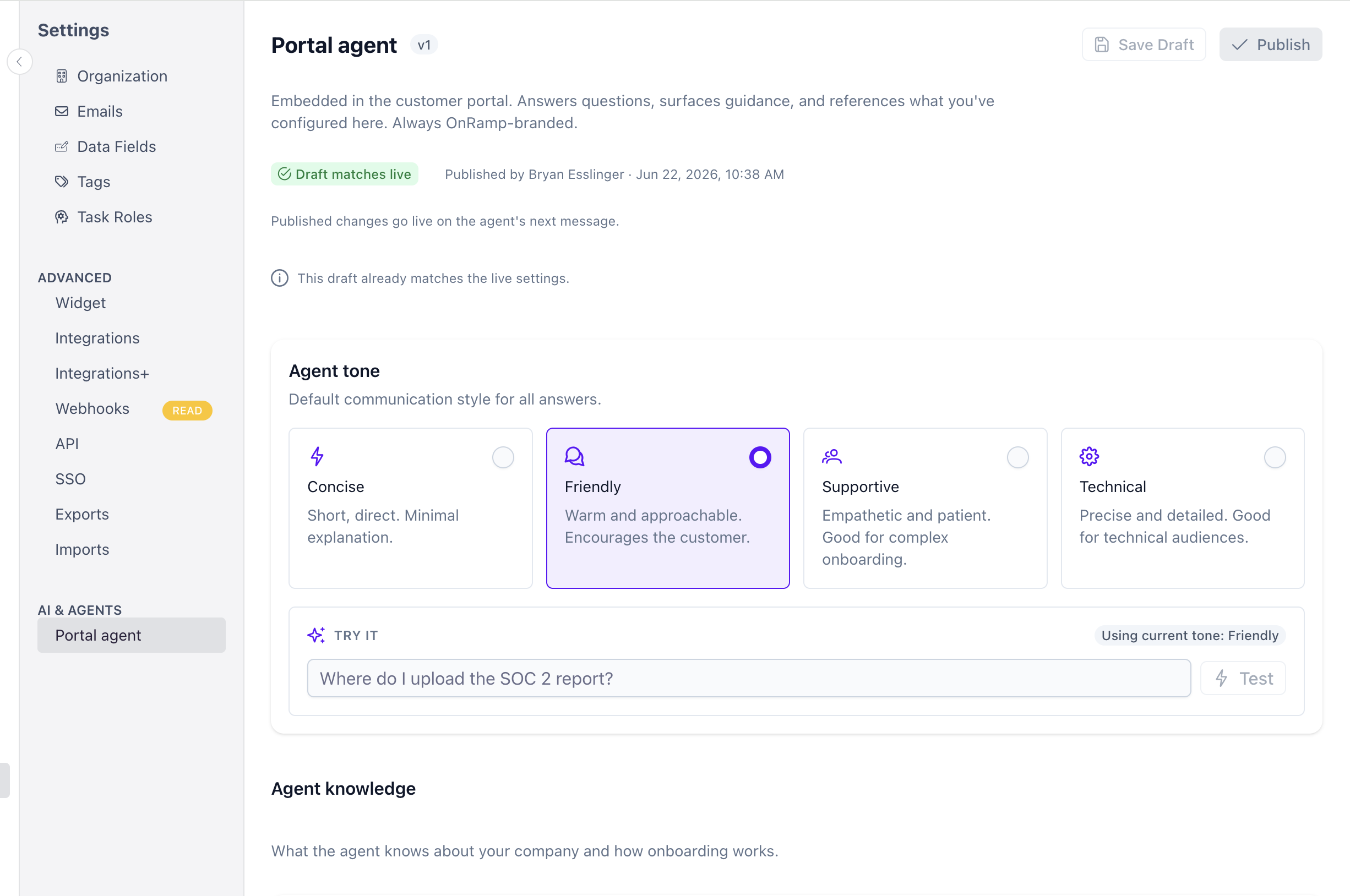
Teams can now configure, customize, and test the portal agent before it ever reaches a customer.
CSMs and admins can now configure the portal agent to match their brand and process. Set the agent's tone, give it knowledge about your company, product, and onboarding approach, and test it directly in settings before it goes live. It's the foundation for building customer trust in an AI-assisted portal experience, on your terms.
Note: Coming the week of June 29th.
Small Improvements. Big Impact. All Available Now.
These enhancements are live and ready to use today — giving your teams more speed, more structure, and more clarity across every customer project. If you'd like help putting these new capabilities to work, just let us know.