July Release: More visibility, less busywork.

This month is about seeing the full picture and skipping the manual setup to get there. New dashboards bring project performance, Aero's actions, and each user's next steps into a single view. Importing project data and dynamically created affiliate accounts get projects off the ground in a fraction of the time. And a wave of subtask upgrades makes it easier to capture exactly the right data, right from the start.

Dashboards

Dashboards

A single view of what's happening, what Aero is doing, and what to do next.

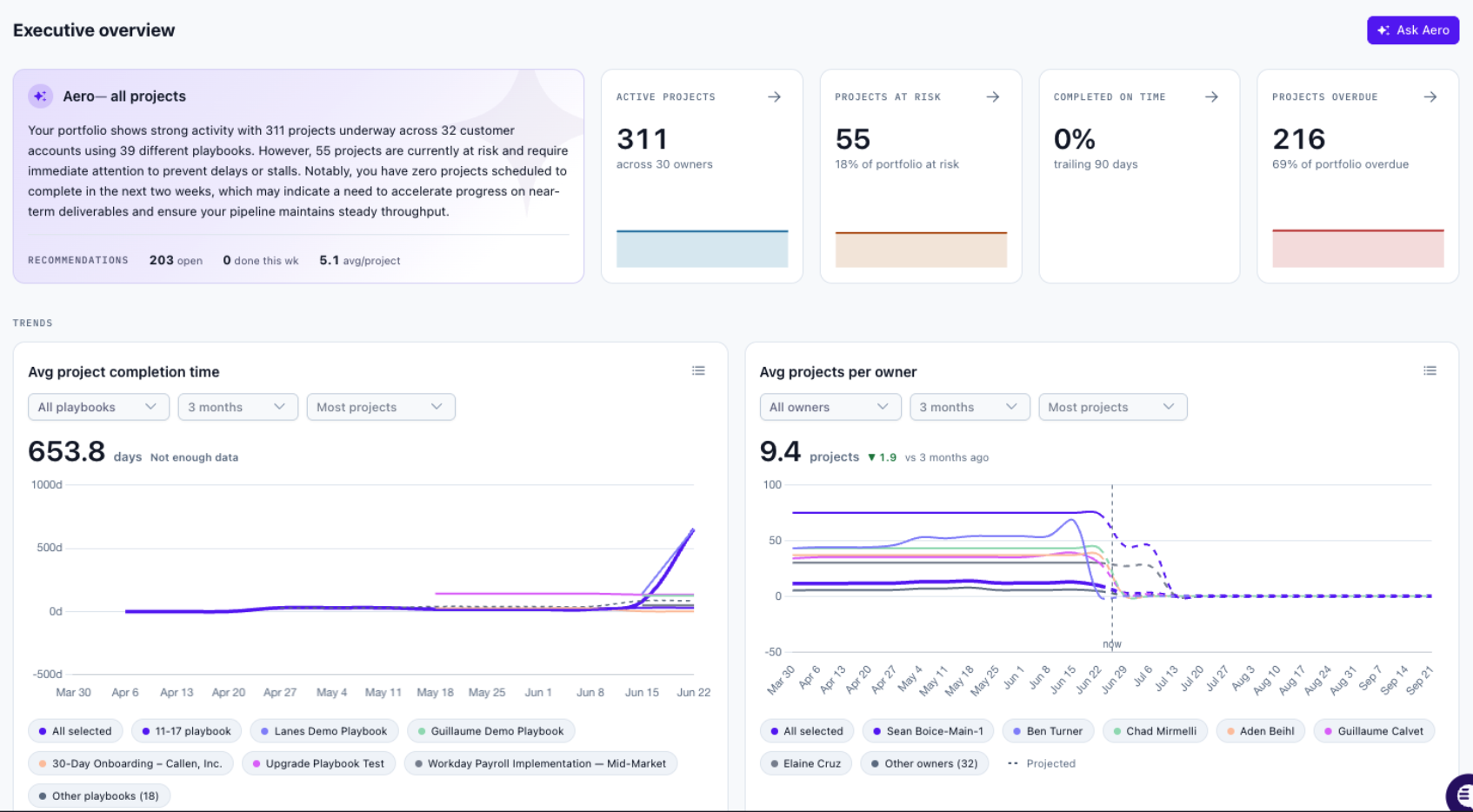
Every team has been asking for clearer visibility, without the noise. New dashboards deliver it: see project performance at a glance, track the work Aero is running on your behalf, and give each user a direct path to their next action. Three focused views, each built for a different job:

  • Aero Actions: See the actions Aero has created and run, so the work your agents are doing on your behalf is always visible and accountable.

  • Performance Data: Project completion trends, timing, and playbook recommendations in one place, so you can spot what's working and where to adjust.

  • Individual Users: A focused view for the individual. Where to go, what to do, and how to change the outcome on their open projects, without wading through data that isn't theirs.

Want more information? Check out our Knowledge Base article.


Dashboards

Populate Subtasks with CRM & Project Data

Populate Subtasks

Start projects with the data you already have. No re-entering, no re-asking.

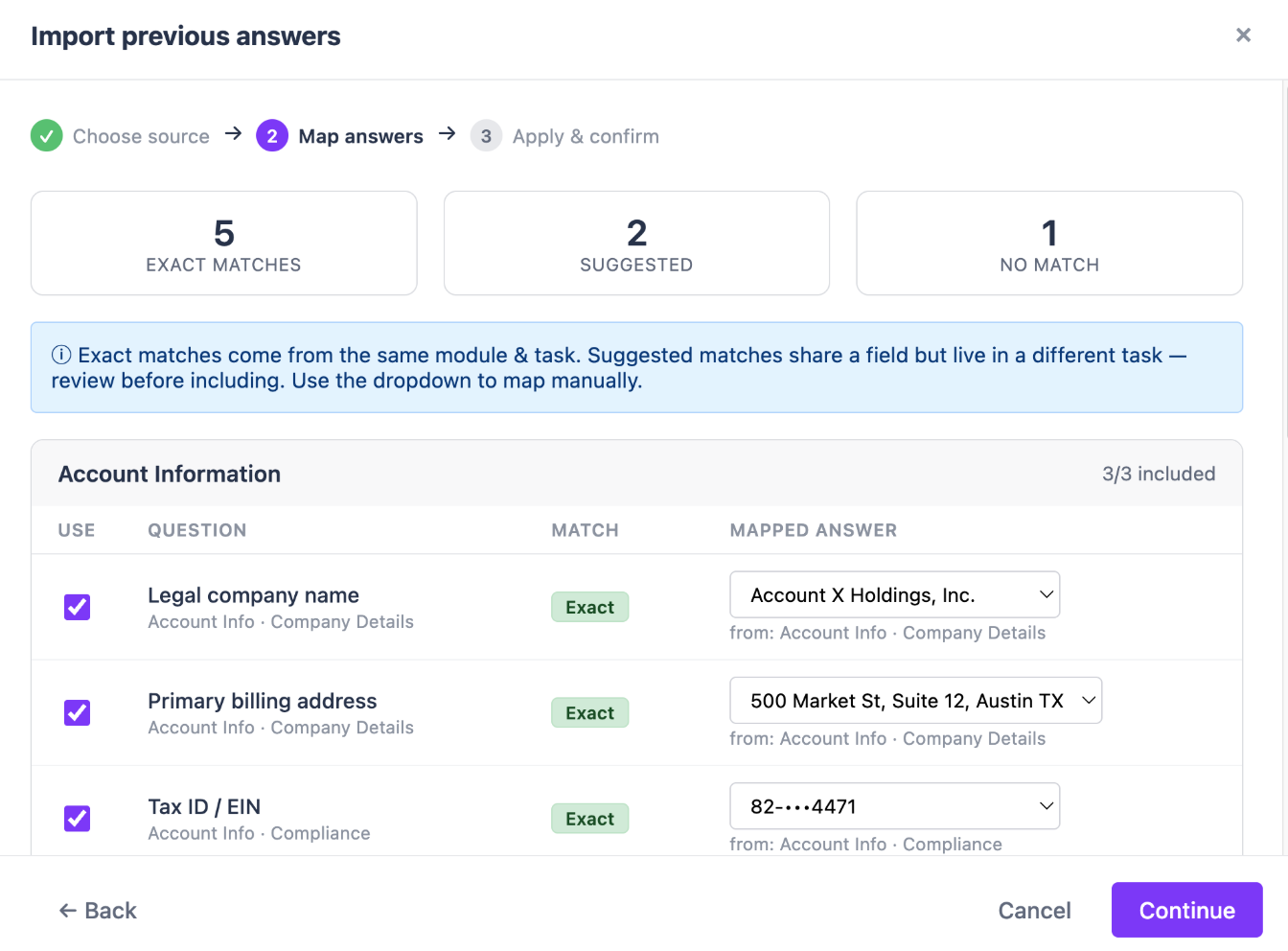
Projects no longer have to start from scratch. The data you capture from customers is already in the CRM; you can now consume that information into subtasks when a project is created. Additionally, using information in projects in later tasks became easier than ever. Set up playbooks to consume both CRM data and project-level data in tasks via the Data Source.

Want more information? Check out our Knowledge Base article.


Subtask Improvements

Capture the right data faster, and get started with subtasks in minutes.

Data collection is at the heart of great onboarding, and this release makes subtasks both better at capturing exactly what you need and quicker to set up.

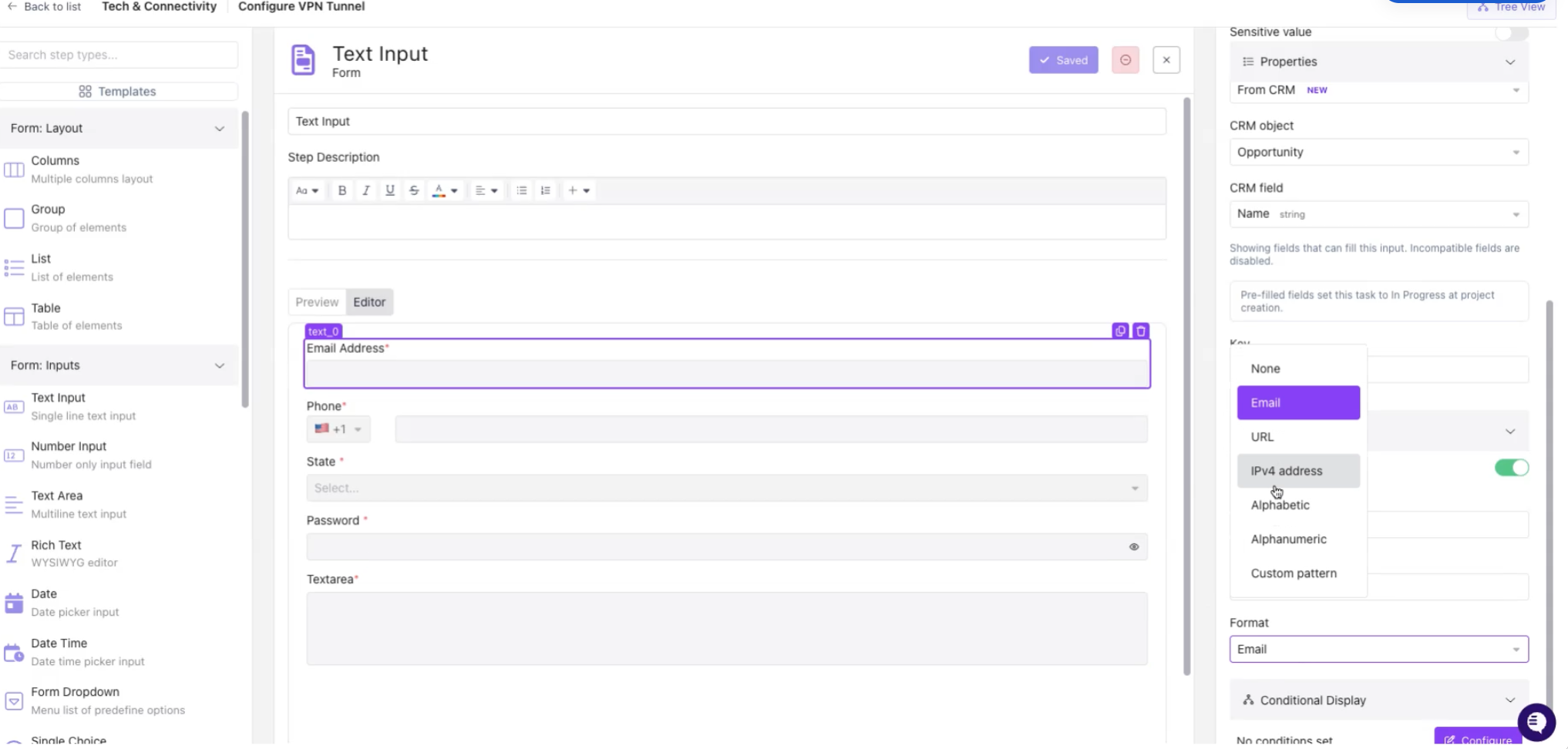
  • Input Improvements: New answer formats and input validation keep responses clean and consistent. A dedicated phone number element and the ability to hide sensitive data protect the details that matter. And you can now require subtask completion to keep projects moving forward.

  • Subtask Templates: Quick-start form templates get you up and running fast, with UX updates that guide you to the right structure from the start.
Subtask Improvements

More visibility. Faster starts. All available now.

Every one of these updates is live and ready to use. Have questions or want a walkthrough? Our team is here to help.


Coming Soon: 

  • Aero building & editing subtasks: Quickly build and edit subtasks with Aero jumpstarting playbook creation and editing with AI
  • Aero updating live projects: Make bulk changes with AI to inflight projects
  • Portal Builder: Configure custom portals per playbook to deepen customer engagement with projects