August Release: More flexibility, less rework.

This month is about control. Portals are now branded and configured per playbook, so every customer gets an experience built for them. Aero moves from creating work to changing it, making bulk updates to in-flight projects that once required clicking through tasks one by one. Plus, a deep set of API and workflow upgrades pulls more from your CRM, so the automation you've built keeps up with how your business actually runs.

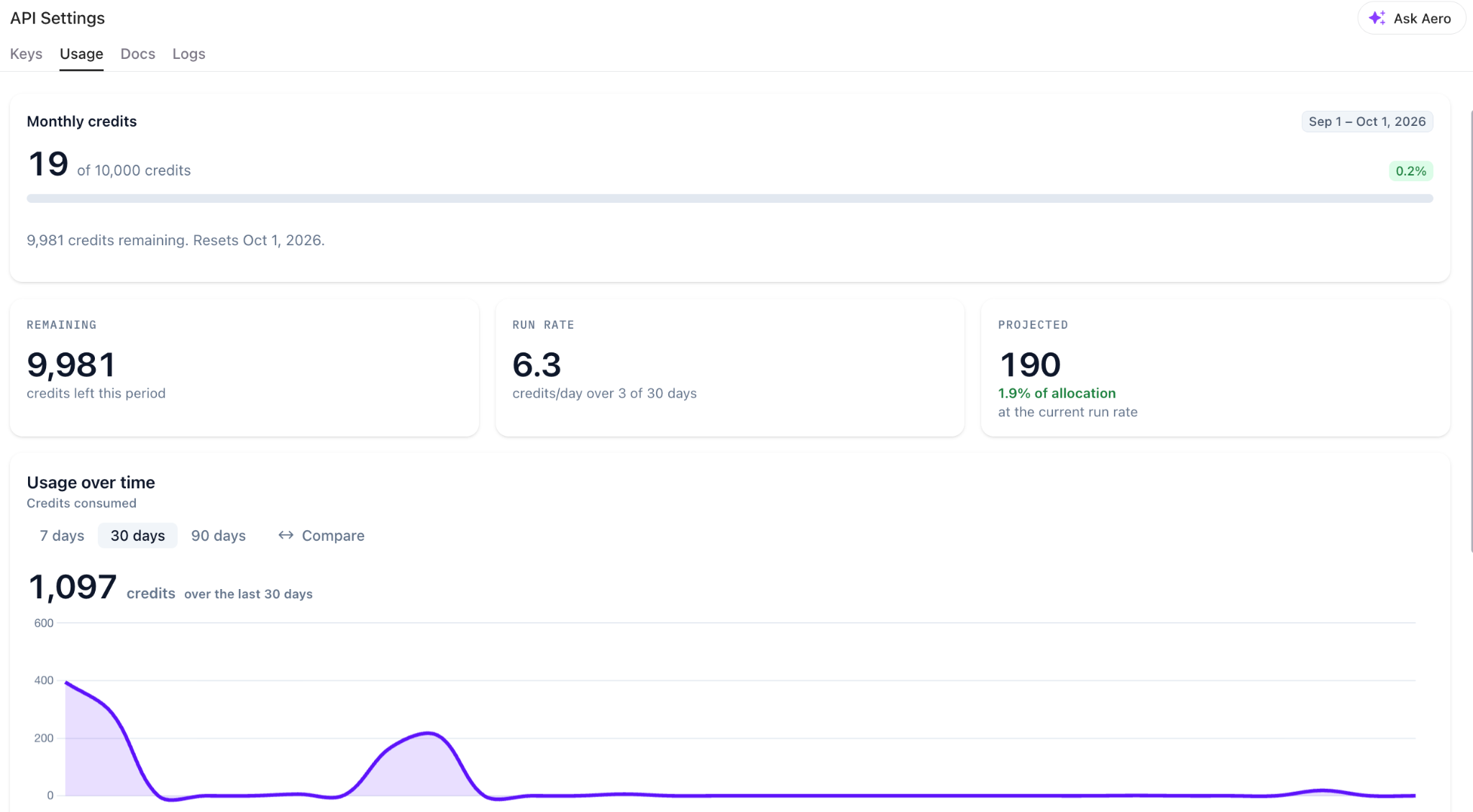
API Image

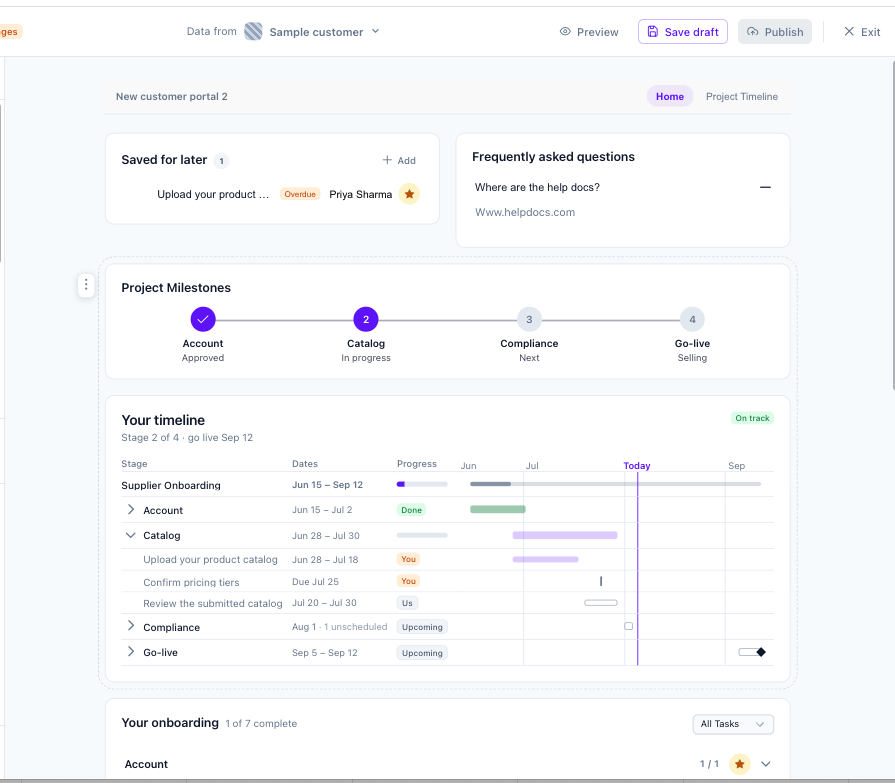
Build Your Own Portal in the Portal Studio

One platform, every brand. Configured per playbook.

Your customers want to engage their prospects in ways that are on-brand and effective for how they do business. The portal already works well, but a single global configuration can't reflect the range of ways our customers go to market. Now it can: theming, branding, and configuration all move down to the playbook level, so the experience matches the audience it was built for.

  • Global theme by default: Every playbook inherits your global theme, so you only configure the ones you want to adjust.  

  • Customization per playbook: Override the default anywhere it matters. Different segments, regions, or programs can each have their own portal experience.

  • Full control of the details: Branding, logos, portal theming, and configuration are all set per playbook.

Want more information? Check out our Knowledge Base article.


portal studio

API Enhancements and Workflow Improvements

workflows

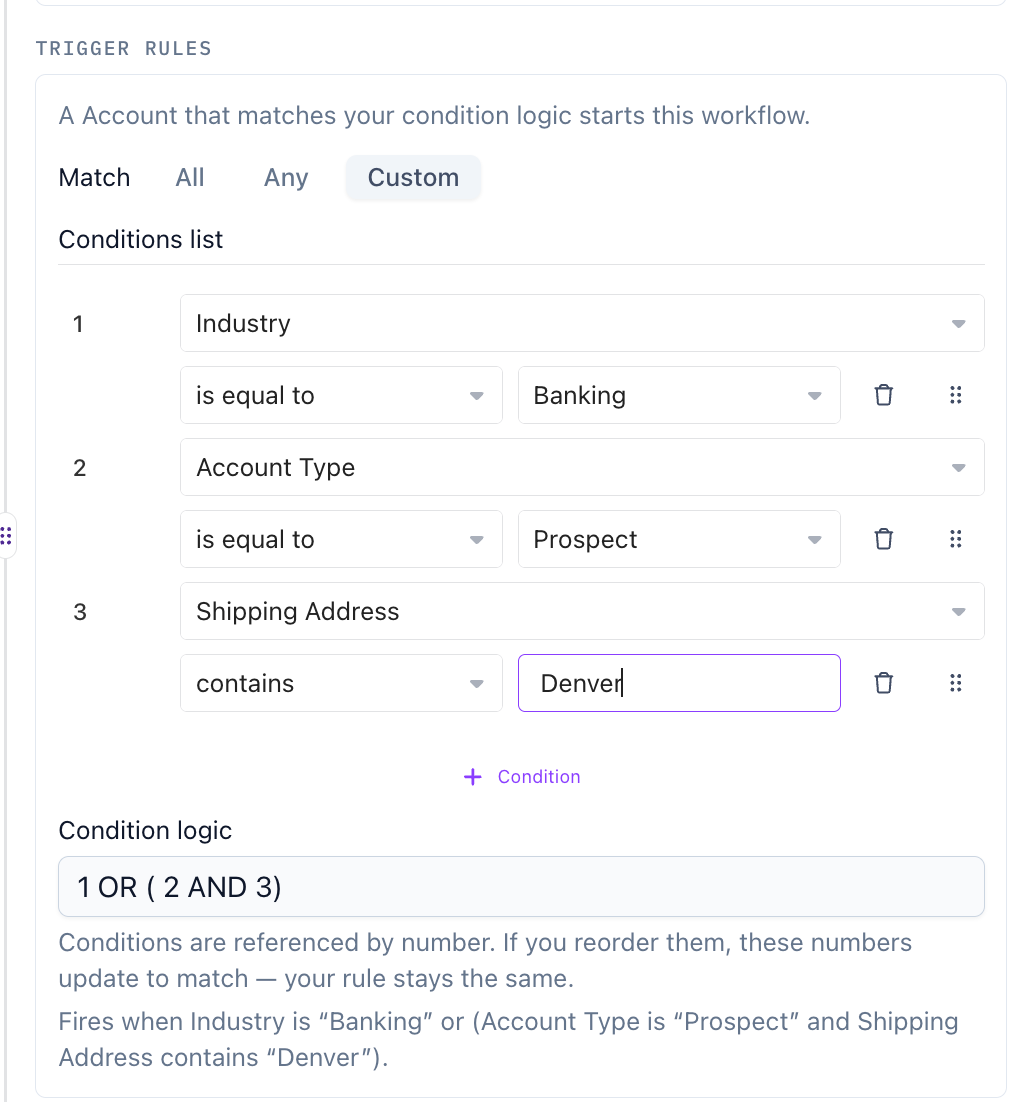
More of your CRM, more control over your triggers, and a way to test before you ship.

We're continuing to build on this year's integration work to make workflows do more of the thinking for you. This release adds new conditions and trigger logic, deeper CRM mapping, and a way to see exactly what a workflow will do before it runs on a real customer.

  • Set start and end dates from CRM values: Project timelines build themselves from the dates your team already maintains in the CRM.
  • AND/OR logic in triggers: Combine conditions to target workflows precisely, rather than building a separate workflow for every variation. (Salesforce Only, HubSpot Coming Soon)
  • Additional workflow conditions: More ways to narrow when a workflow should and shouldn't fire. (Salesforce Only, HubSpot Coming Soon)
  • Re-run workflows with new data: When a record changes, run the workflow again against the current values instead of starting over. (Salesforce, HubSpot Coming Soon)
  • Test a workflow run with a CRM record: Validate against a real record before you go live, so you know what will happen before it happens. (Salesforce, HubSpot Coming Soon)
  • Map account data fields from workflows: Pull account-level data into projects automatically as part of the workflow itself. (Salesforce, HubSpot Coming Soon)
  • Duplicating workflows and debugging/testing: Easily debug or test workflows with debug mode. Duplicate cards, branches, and entire workflows.

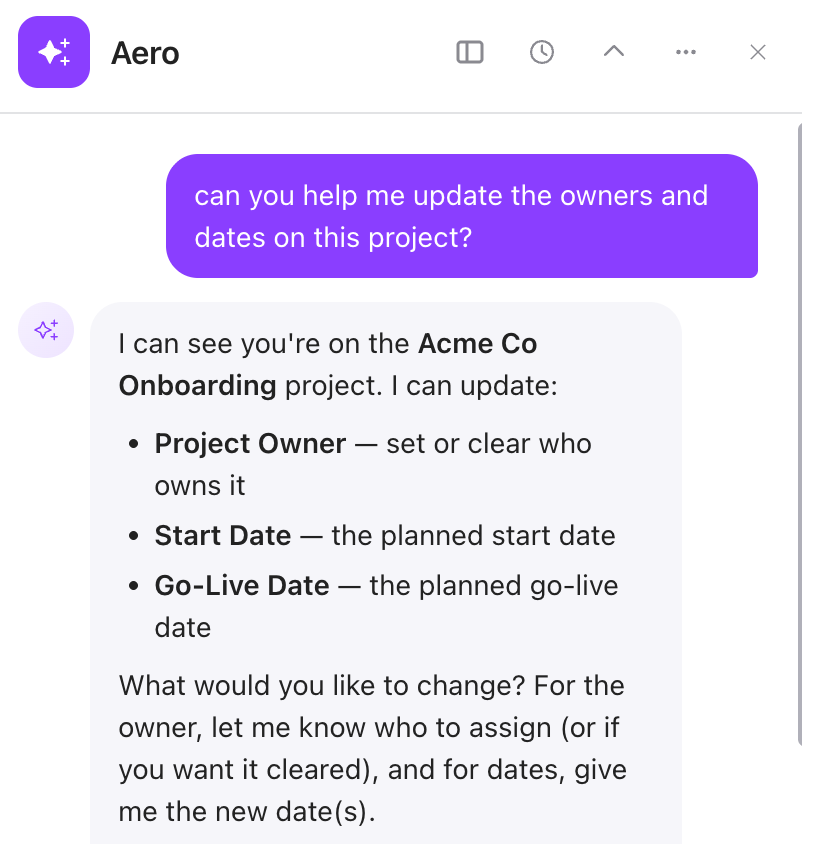
Edit Projects with Aero

Change in-flight projects with a sentence, not a spreadsheet.

Plans change after kickoff. Until now, updating a live project meant working through it one field at a time — reassigning tasks, shifting dates, correcting settings by hand. Aero can now make project-level changes in bulk, so a reorg, a timeline shift, or an owner change takes a request instead of an afternoon.

Edit project tasks:

  • Task types
  • Assignees
  • Due dates and start dates
  • Add comments

Edit the project:

  • Change project settings
  • Update project data field values
  • Update owners and dates
  • Update project notes

Want more information? Check out our Knowledge Base article.

edit with aero

Self-Serve Playbooks 

self serve playbooks

Self-Serve Playbooks are a great way to ensure customers can get additional information about products, services, or just generally self serve information from other places via your playbooks. Now teams can do that in a much more streamlined way.

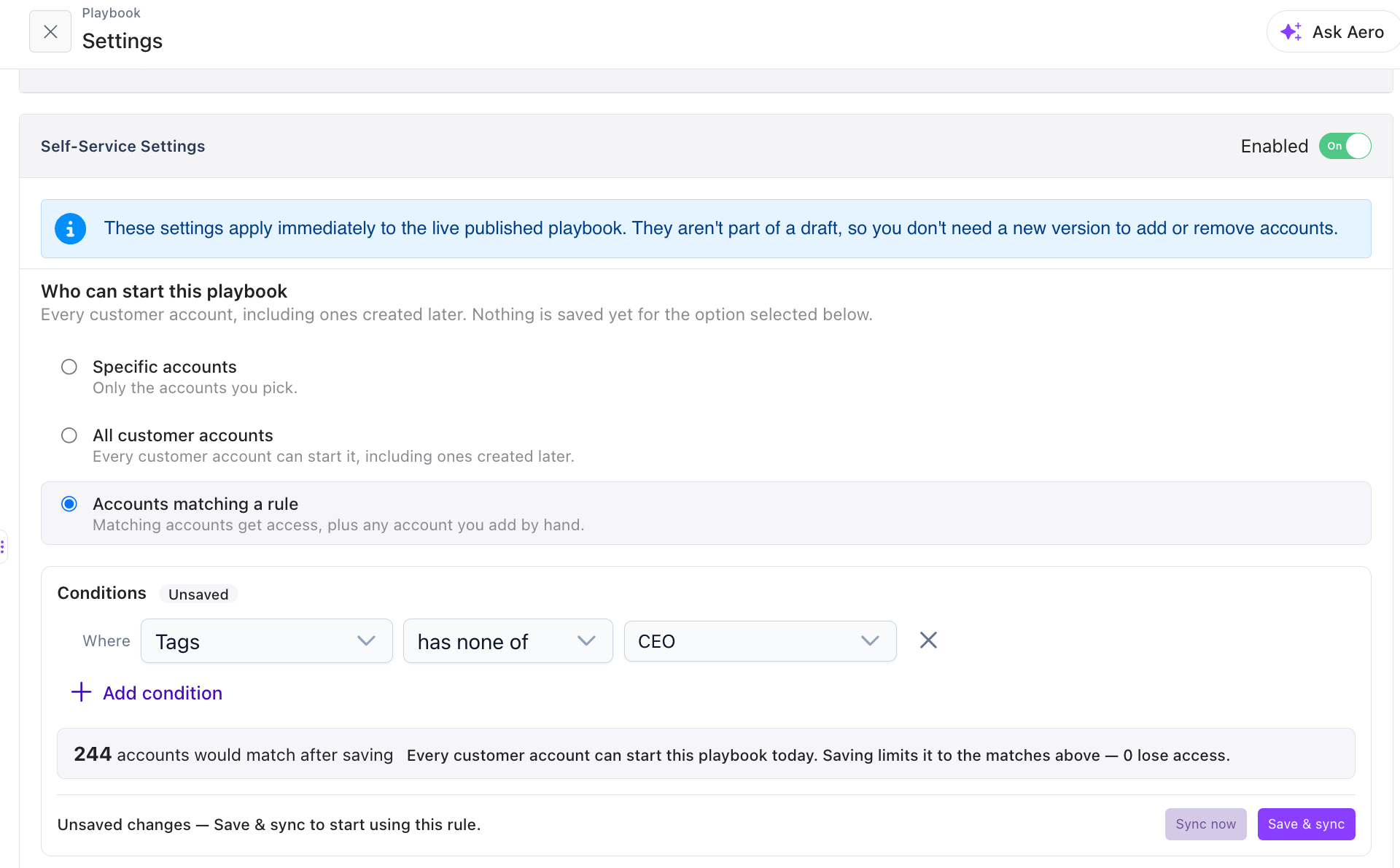
  • Add playbooks from the Account
  • See all self-serve playbook Usage from the Account
  • Create Account Rules to add & remove accounts from self-serve playbooks dynamically
  • Assign project owner of self-serve playbooks dynamically
  • Increased auditability within self-serve playbooks.

Want more information? Check out our Knowledge Base article.


More flexibility. Less rework. All available now.

Every one of these updates is live and ready to use. Have questions or want a walkthrough? Our team is here to help.

Coming Soon:

  • Answer Tasks Via Email
  • SMS
  • Permissions
  • Project Role Assignments